12 Best Drawing Tablet Gifts in 2026 (Screen or Screenless)
Wacom, Huion, and XP-Pen drawing tablets plus iPad styluses, with a practical screen versus screenless guide from GiftingMachine crowd picks.
Digital art hardware has gone from professional-only to genuinely affordable in about a decade. A usable pen tablet now costs less than a nice dinner, and a display tablet you draw directly onto costs what a mid-range phone does. The main decision is whether they want a screen, and the answer depends more on their workflow than their skill. The 12 picks below earned the most right-swipes on GiftingMachine.
What to Look For
A few distinctions decide whether this gift gets used daily or shelved:
- Screenless tablets need a learning curve. You draw on a pad while looking at the monitor, which takes a week or two to feel natural. They are much cheaper, and many professionals prefer them permanently, but this does put some beginners off.
- Display tablets are intuitive and cost more. Drawing directly on the screen feels immediate from the first minute. The trade-off is price, desk space, and the cables; most still need to be tethered to a computer.
- Check whether it needs a computer at all. Wacom, Huion, and XP-Pen tablets are peripherals that require a PC or Mac. If the recipient only owns an iPad, a stylus is the correct gift and a tablet is not.
- Pressure levels stopped mattering years ago. Every tablet here has 8,192 levels of pressure sensitivity or more, which is far beyond what a human hand resolves. Ignore this number in marketing; size and build quality matter far more.
Screenless Pen Tablets
The affordable, durable way in, and what a large share of working illustrators still use.

Wacom Intuos Small Graphics Drawing Tablet
The default first tablet from the brand that effectively invented the category, with software included and the most reliable Wacom drivers.

XP-Pen StarG640 Digital Drawing Tablet, 6x4 Inch
Genuinely usable, including for the rhythm game community that adopted it, making this the lowest-risk way to try a tablet.

XP-Pen Deco 01 V3 Drawing Tablet
A larger active area with a battery-free stylus and shortcut keys, a roomy upgrade over the equivalent Wacom.

Huion HS610 Graphics Tablet with Battery-Free Stylus
A big drawing area, a touch bar, and a generous set of express keys make this excellent value for someone who has outgrown a small tablet.
Display Tablets
Draw directly on the screen. The intuitive option, and a serious step up in price.

XP-Pen Artist 12 Drawing Monitor, 11.6 Inch
A proper pen display that feels much more immediate than a screenless pad, and a solid first step into drawing on screen.

Huion Kamvas Pro 16 Drawing Tablet with Screen
A 15.6-inch anti-glare laminated display removes the parallax gap between pen tip and cursor, making this a real working tool.

Huion Kamvas Pro 13 Portable Drawing Tablet, 2.5K QHD
A sharper, smaller display for a desk without much room, and the premium pick for portability rather than size.
For iPad Artists
If they draw on a tablet they already own, this is the entire category that applies.

JAMJAKE Stylus Pen for iPad with Palm Rejection
Tilt support and palm rejection make this a dependable stylus for everyday iPad drawing.

Metapen A8 iPad Pencil with Fast Charge
Charges in four minutes and includes palm rejection, making it an easy gift for anyone with an iPad and an interest in drawing.
Sketch Accessories
Small, inexpensive additions that round out a tablet gift or work for someone who draws on paper too.
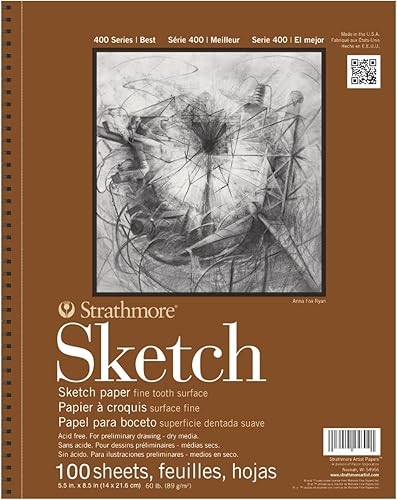
Strathmore 400 Series Sketch Pad, 5.5x8.5 Inch
A dependable place to practice away from the screen, the paper most art students already learned on, and the gift that gets used on days the tablet doesn't.

ESR Pencil Case Holder for Apple Pencil
An elastic sleeve that sticks to the back of an iPad and stops the stylus rolling off the desk and disappearing, fixing the single most common stylus complaint.

Paperlike Pencil Tips for Apple Pencil
Swaps the slick glass-on-glass feel for something closer to actual paper drag, a small upgrade that changes how a stylus feels in the hand.
Frequently Asked Questions
Should I buy a drawing tablet with a screen or without? Without, for a first tablet. They cost far less, and the hand-eye adjustment takes a couple of weeks. Buy a display tablet if they already draw digitally and have said the disconnect bothers them.
What is the best drawing tablet gift under $50? The Wacom Intuos Small or the XP-Pen Deco 01 V3. The Wacom has better driver support and resale value; the XP-Pen gives you a noticeably larger drawing area for the money.
Do drawing tablets work with an iPad? Generally no. Wacom, Huion, and XP-Pen tablets are computer peripherals needing a PC or Mac. For an iPad owner, buy a stylus instead; it does the same job with hardware they already have.
You Might Also Like
- 14 Best Gifts for Graphic Designers in 2026
- 16 Best Gifts for Artists & Drawers in 2026
- 10 Best Gifts for Comic Book & Anime Fans in 2026
- 14 Best Gifts for Creative People in 2026 (Makers' Picks)
- 16 Best Tech Gifts in 2026: Actually Useful Upgrades
How We Ranked These
All products come from GiftingMachine's swipe data: real users picked what they'd actually want to receive, and every item carries at least a 3.5-star Amazon rating. Prices are indicative and shown as of when we last refreshed them; check the retailer for the current price.
How we ranked these
Rankings come straight from the GiftingMachine app, where people swipe right on gifts they'd actually give. We score each product with a Wilson lower bound, so a pick with 5,000 loves out of 5,500 swipes beats one with a thin handful of perfect ratings. Prices are indicative and updated periodically; check the retailer for the latest.